Unmold Update #4: Module Visibility Control
This week we are introducing module visibility control in Unmold, with explicit private and public access levels per module version.
What is new?
Unmold now supports per-version visibility controls that let you decide how each published module version should be shared:
private(default): requires authentication for listing and downloadpublic: allows unauthenticated listing and download
This gives teams better control when they want to keep internal versions restricted while selectively sharing stable versions publicly.
Publishing a public module
New versions are private by default. To publish a version as public, set access explicitly:
unmold module publish <module-name> <version> --access public
If --access is omitted, the version remains private.
Update visibility after publication
You can change visibility at any time using the unmold CLI commands:
unmold module make-public <module-name> <version>
unmold module make-private <module-name> <version>
or using the module setting at Unmold console:
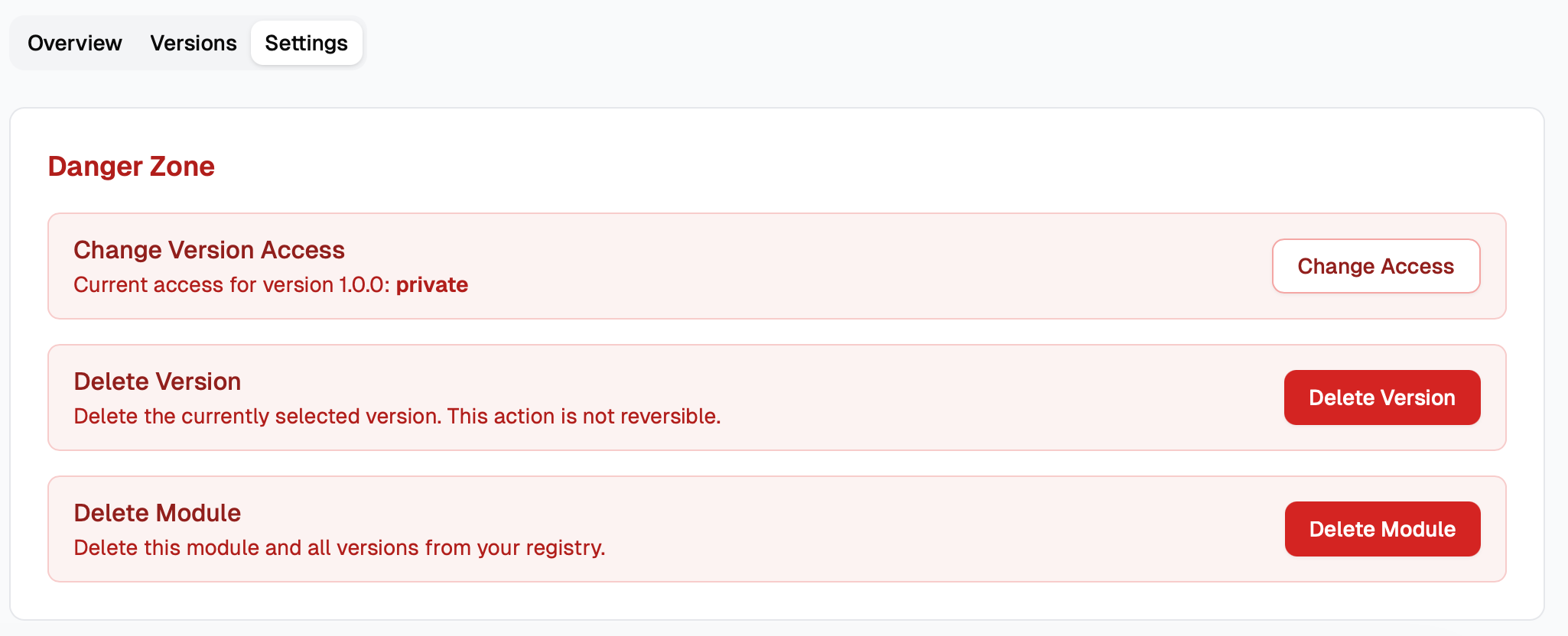
It allows you to upload private modules in the release workflow and selectly promote certain versions for public access later.
Why this matters
Teams usually need both strict internal control and smooth external sharing.
With visibility control, you can:
- keep in-progress or sensitive versions private by default
- make only approved versions public
- support mixed workflows across CI, Terraform, and OpenTofu without changing source patterns
This update also improves anonymous discovery behavior by ensuring unauthenticated listing only returns public modules.
Related docs
If you have feedback on visibility defaults or sharing workflows, join the Unmold community.